Creating a Validata Cloud service
To use Validata Cloud, you must first create a Validata Cloud service from the (Striim) Marketplace.
In the left navigation, select Marketplace.
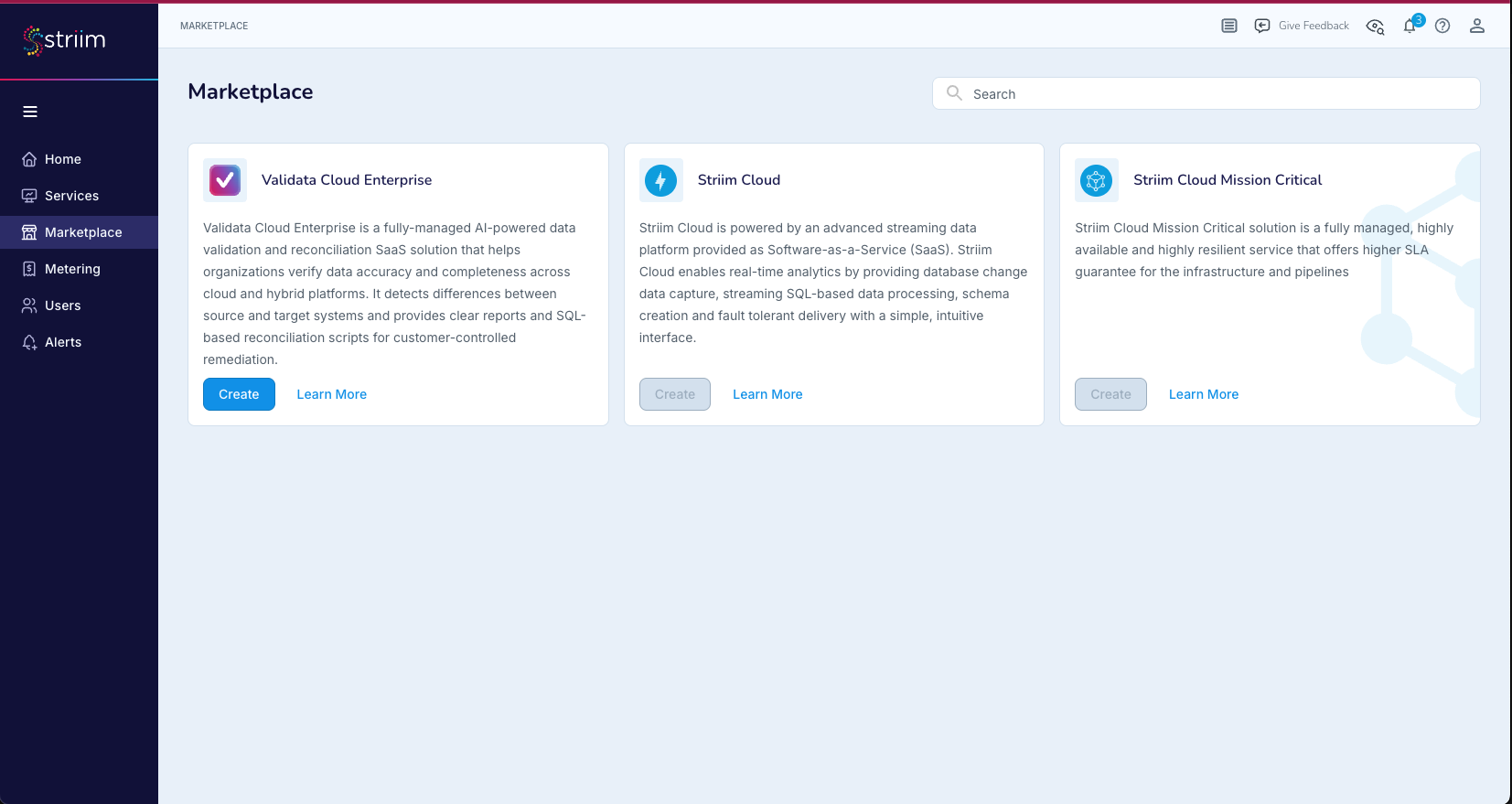
Locate the Validata Cloud Enterprise card and select Create.
Configure the following parameters for the new service:
Service Name (required): A unique name for the service. The name is used in the URL of your installation. Must be 3 to 58 lowercase characters. The hyphen (
-) is the only special character allowed and cannot be used at the beginning or end.Region (required): The cloud region where the service is deployed.
Node Size: The compute resources allocated to the service.
Solution version (required): The Validata Cloud version to deploy.
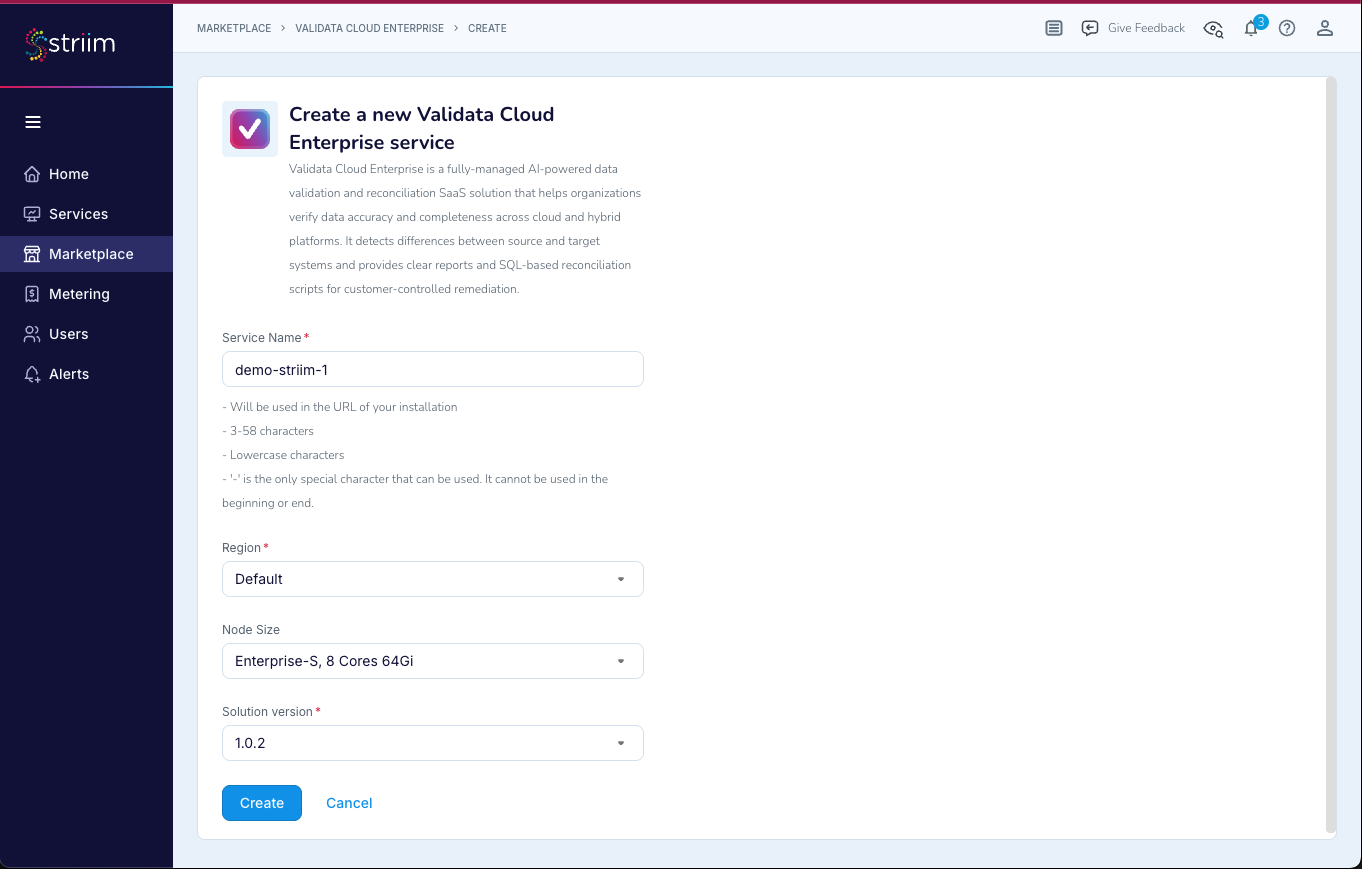
Select Create.
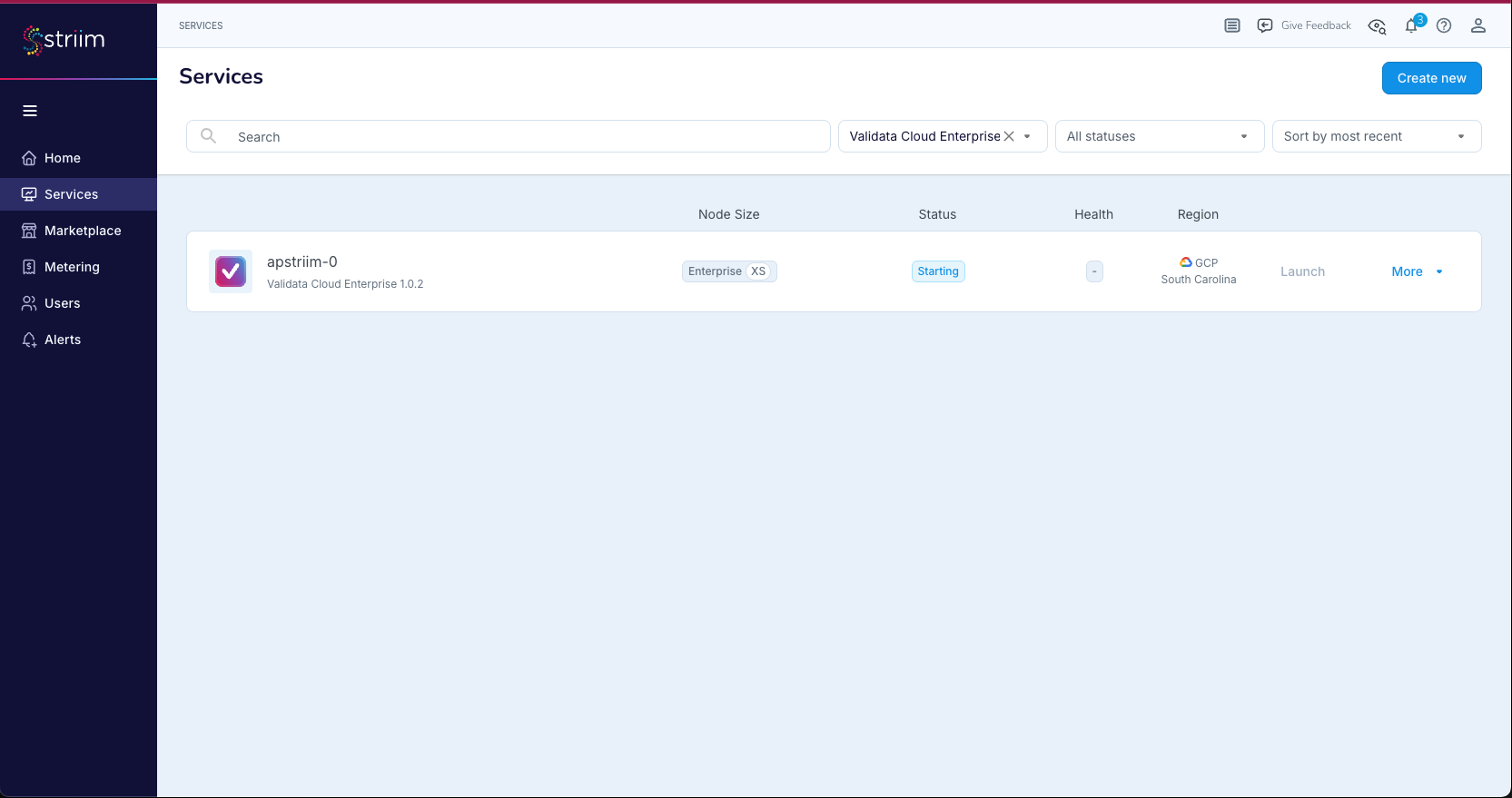
After the service is created, it appears on the Services page. To locate your Validata Cloud service, filter the services list by selecting Validata Cloud Enterprise from the service type dropdown. Validata Cloud Enterprise services are identified by the Validata icon next to the service name.