Vault Support with Kafka Connection Profile
To securely reference configurations in a Kafka Connection Profile, you can store the necessary certificates and keys in the Vault. We recommend that you pass any private or public keys or JAASConfig which involves a password via a vault value.
To use the Striim Vault. Follow these steps:
Step 1: Create a New Vault
If you do not have a vault already, create one as described in Using vaults.
Step 2: Upload Certificate Files
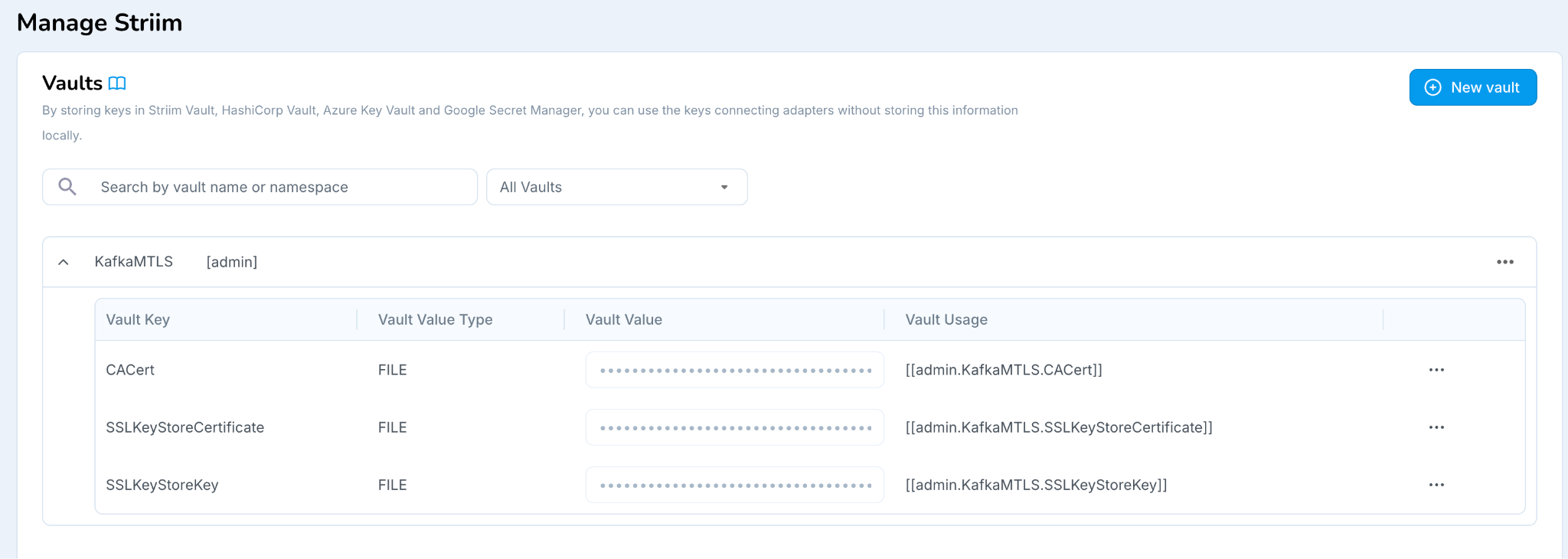 |
Upload the following files as FILE type:
CA Certificate File
SSL KeyStore Key
SSL KeyStore Certificate
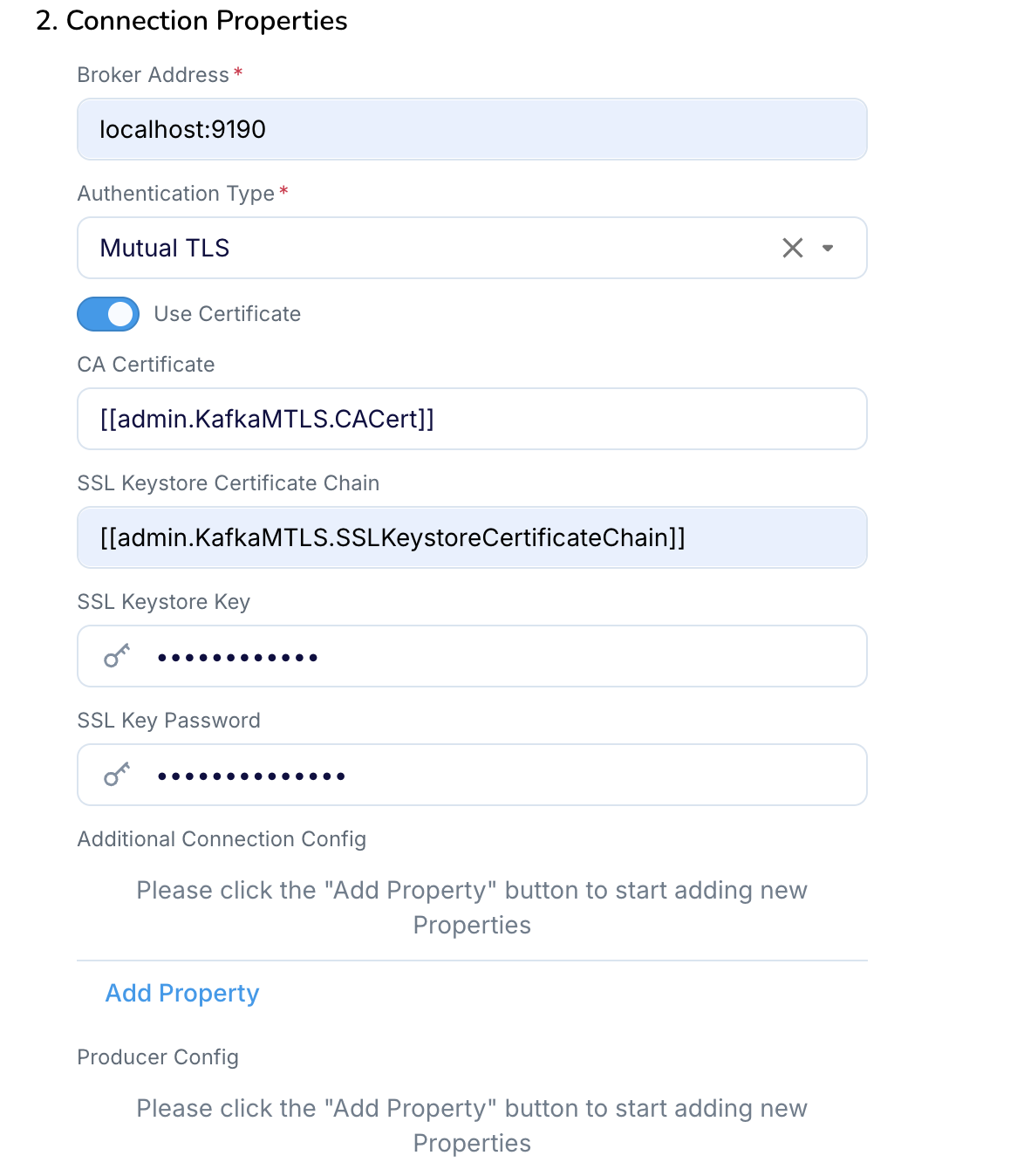
Step 3: Configure the Kafka Connection Profile
In the Kafka Connection Profile, reference the uploaded Vault entries by entering the appropriate Vault and keys for:
 |