Clara AI Agent
Clara is Striim's conversational AI agent for product guidance, operational insight, and application building. It brings Striim documentation, Knowledge Base articles, and analytics about your Striim environment into the product experience, enabling you to ask questions and take action in the context of your work. Clara can provide information about your applications and platform, perform supported application lifecycle actions, and help you build an application through a conversation.
Use Clara to:
Find answers in the Striim documentation.
Access analytics and inspect applications, components, monitoring data, cluster topology, users, and roles.
Request supported application lifecycle actions.
Build a Striim application conversationally and review the generated TQL before execution.
Continue a task through follow-up questions and contextual quick actions.
Clara is available from the Ask Clara panel. This topic explains how to use Clara to find product information, inspect and manage Striim resources, and build an application in the Flow Designer.
Important
The Clara AI Agent may generate incorrect or incomplete responses. Verify documentation answers, diagnostic details, generated TQL, and operation results before relying on them in a production environment.
Configuring Clara AI
An administrator must configure and launch Clara AI with an AI backend. For setup instructions, see Configuring Clara AI.
Open Ask Clara and confirm that the panel header displays
HEALTHY.
Getting started
Click Ask Clara in the top navigation bar.
Confirm that the panel header displays
HEALTHY.Enter a request in the Ask Clara input box, or select a suggested action.
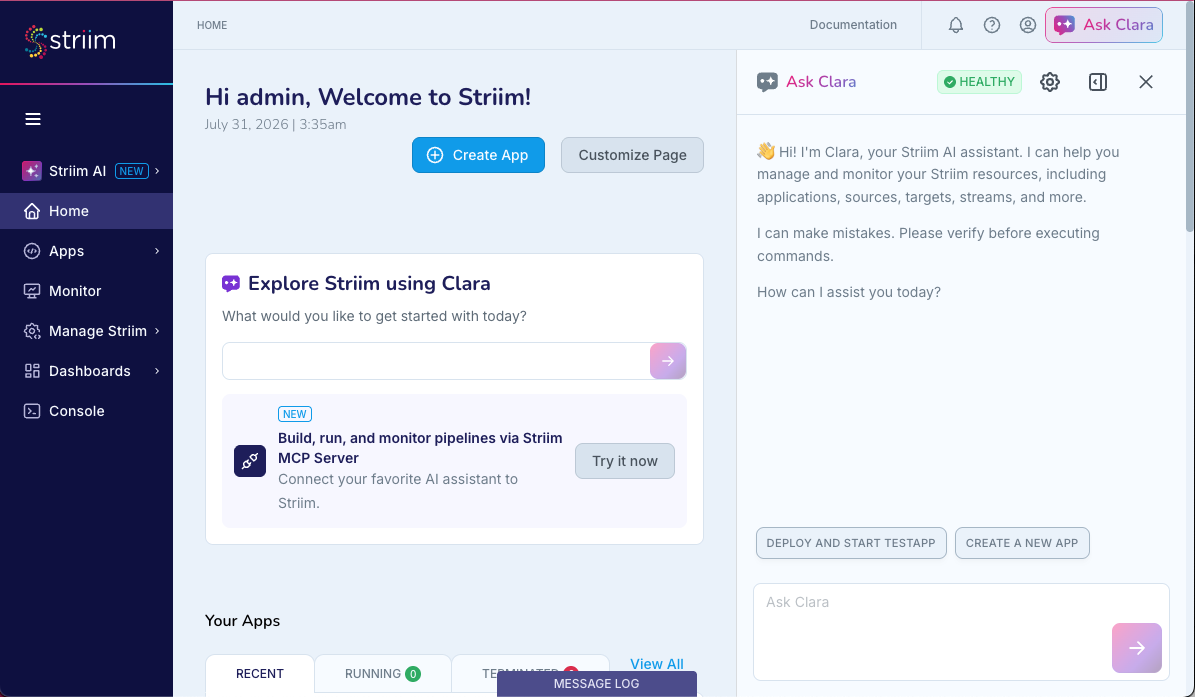
For conversational application building, you can also begin from Explore Striim using AI on the Home page.
Ask Clara about Striim
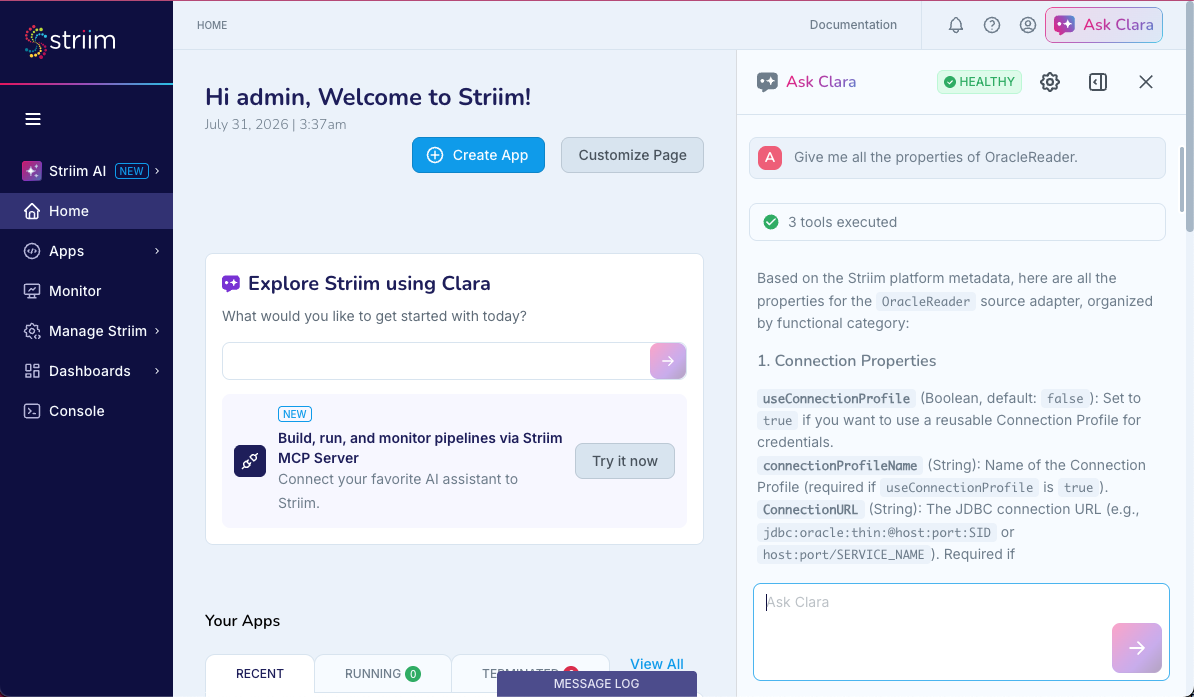
Clara is trained on the Striim documentation and Knowledge Base articles. Use Clara to ask about adapter properties, setup procedures, concepts, TQL syntax, troubleshooting, and component comparisons.
Documentation question examples:
Goal | Example prompt | Expected response |
|---|---|---|
Review adapter properties | "Give me all the properties of OracleReader." | The properties and their descriptions, including |
Review adapter properties | "What are the key properties of OJet Reader?" | The properties and their descriptions, including |
Get setup instructions | "How do I configure OJet?" | The prerequisites, Oracle user setup, use of |
Understand a concept | "What is the difference between Initial Load, CDC, and Incremental Load?" | The definition of each approach, how it works, and when to use it. |
Find a feature procedure | "How do I check File Lineage Metadata?" | How to use Flow Designer or |
Troubleshoot a source | "Why is my Oracle source not capturing changes?" | The documented requirements for ARCHIVELOG mode, supplemental logging, and required privileges. |
Compare components | "When should I use MS SQL Reader versus MSJet?" | A comparison of the documented behavior and tradeoffs for the two components. |
Inspect and manage Striim resources
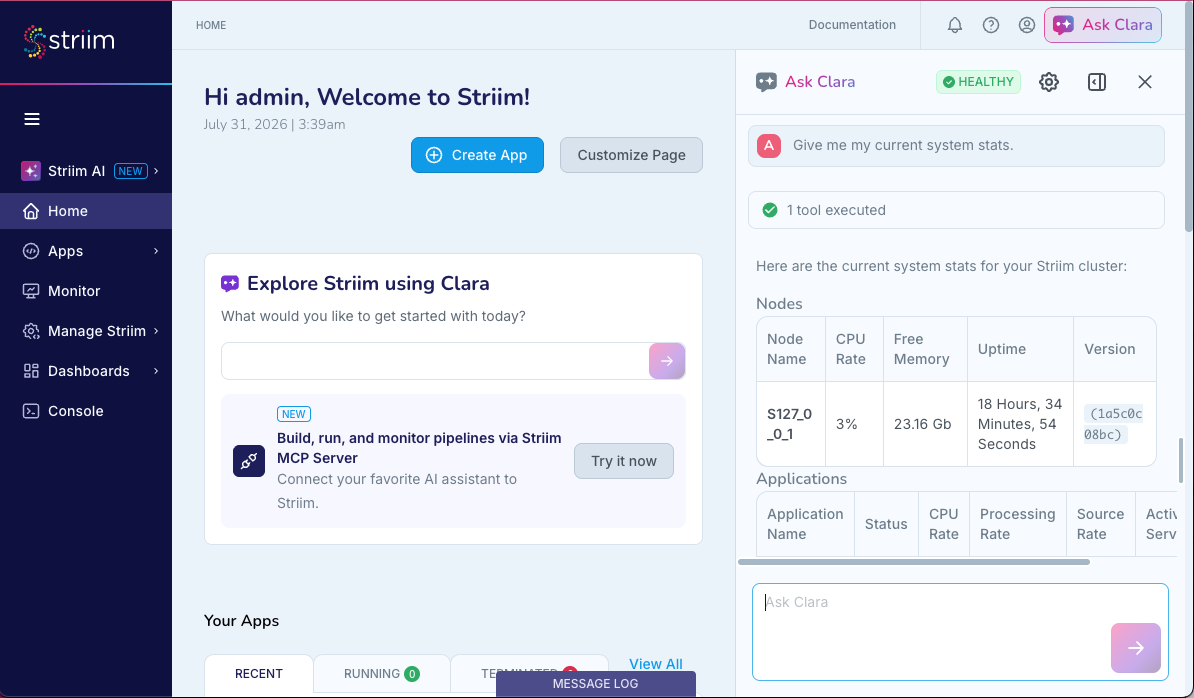
Clara can provide information about applications, components, cluster resources, monitoring data, configuration, users, and roles. You can also use Clara to deploy, stop, or undeploy an application.
Operational question examples:
Goal | Example prompt | Expected response |
|---|---|---|
Review system information | "Give me my current system stats." | The node name, CPU rate, free memory, uptime, Striim version, Elasticsearch storage, and active application count. |
List applications | "What applications do I have?" | Applications with their status, rate, source rate, and latest activity. |
Filter applications | "What applications read from Oracle in my cluster?" | Matching applications and source components. For example, Clara can identify the |
Check application status | "What is the status of OracleIngestion?" | The application status. If an error is available, Clara provides Error Details that include the component, status, root cause, and underlying exception or error. |
Application actions and monitoring:
Goal | Example prompt | Expected response |
|---|---|---|
Diagnose an application failure | "Why did my application OracleIngestion crash?" | The exception type, root cause, database URL, username, error or SQL code, raw error, and suggested action. |
Deploy an application | "Deploy my application OracleIngestion." | Confirmation that Clara submitted the deployment request. If deployment fails, Clara provides the available error information and suggested corrective action. |
Stop or undeploy an application | "stop my application PosApp" or "undeploy OracleIngestion" | The result of the requested operation, such as |
Monitor an application | "what's the current lag on OracleIngestion?" or "show me the read/write rate for PosApp" | The current lag or read and write rate for the requested application. |
Inspect deployed configuration | "what tables is OracleIngestion_DBSource reading from?" or "show me the connection URL for this source" | The requested values from the deployed configuration. |
Review topology | "what agents are in my cluster?" or "which node is running OracleIngestion?" | The available cluster, agent, or node information. |
Review users and roles | "what role does user admin have?" or "who has access to the admin namespace?" | The requested role or namespace access information. |
Continue the conversation
Clara retains context within the current conversation. After asking about a resource, you can use a follow-up question to continue working with that resource. Clara can also display contextual quick actions below a response. For example, after an application error, select or enter Why did OracleIngestion crash?. To begin building an application, select Create a new app.
Build an application with Clara
Clara can build a Striim application from a statement of intent through a conversation. It guides you through configuration, generates a TQL Plan, and presents the Plan for review before it changes the application.
Note
Conversational application building is an evolving capability. Review every generated TQL Plan and validate the completed application before using it with production data.
Start with your intent
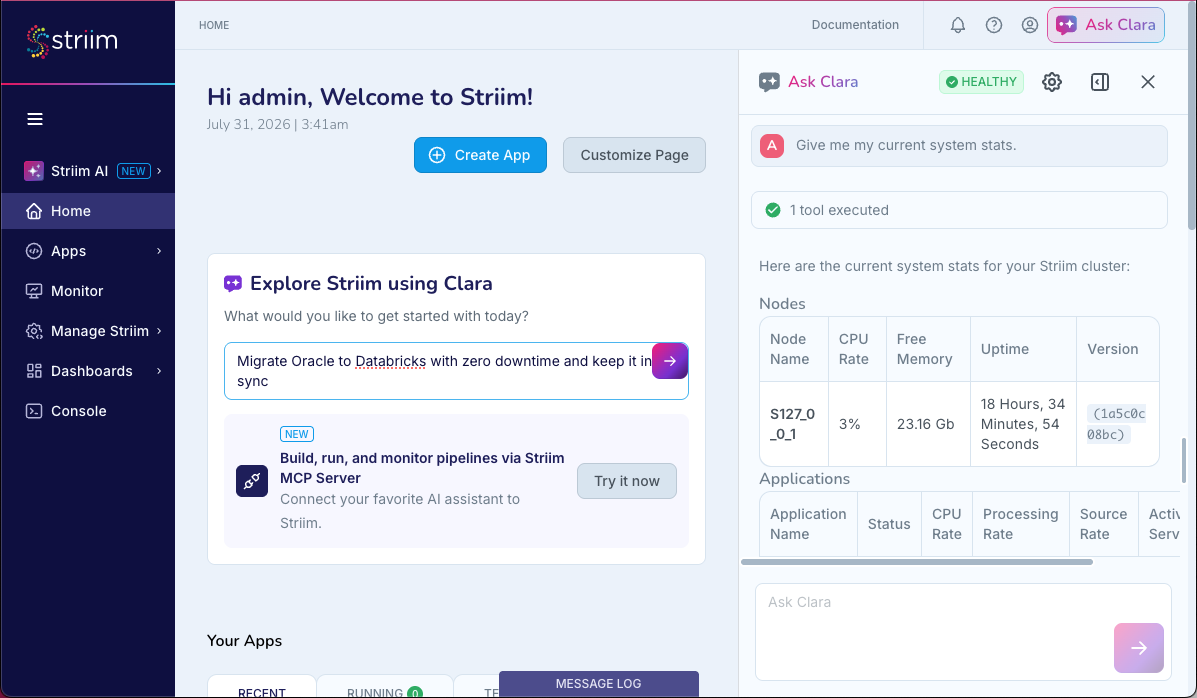
On the Home page, enter an intent in Explore Striim using AI. Examples include:
"Migrate Oracle to Databricks with zero downtime and keep it in sync"
"Build a real-time pipeline from SQL Server to..."
"I want to create a data pipeline to read from Oracle"
Clara interprets the request, identifies the source and target technologies, creates an initially empty application, and opens it in the Flow Designer with AI Mode enabled.
Build in AI Mode
The Flow Designer canvas remains behind the panel, but instead of dragging components onto it yourself, you continue the entire build as a conversation in the Ask Clara panel on the right, and watch the canvas populate as Clara works.
You can turn AI Mode off to make manual edits, then turn it on again to resume the conversation. Both modes work with the same underlying application.
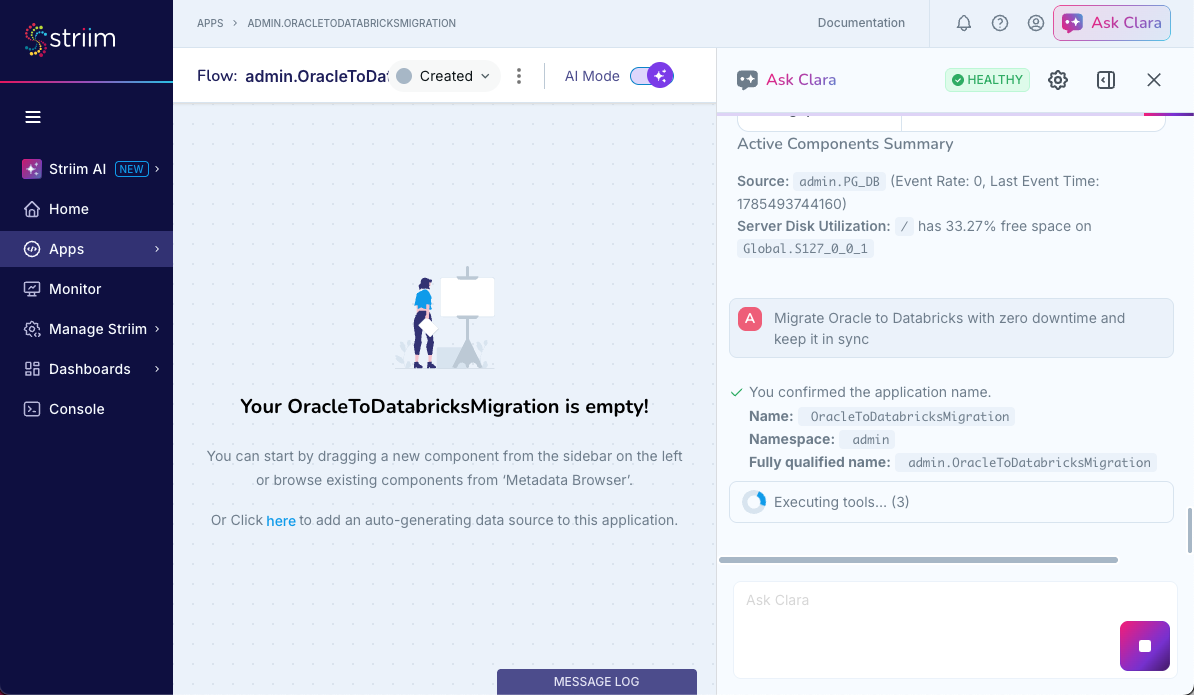
Conversational build flow
Name the application. Clara asks for the application Name and Namespace, and checks the values against existing applications.
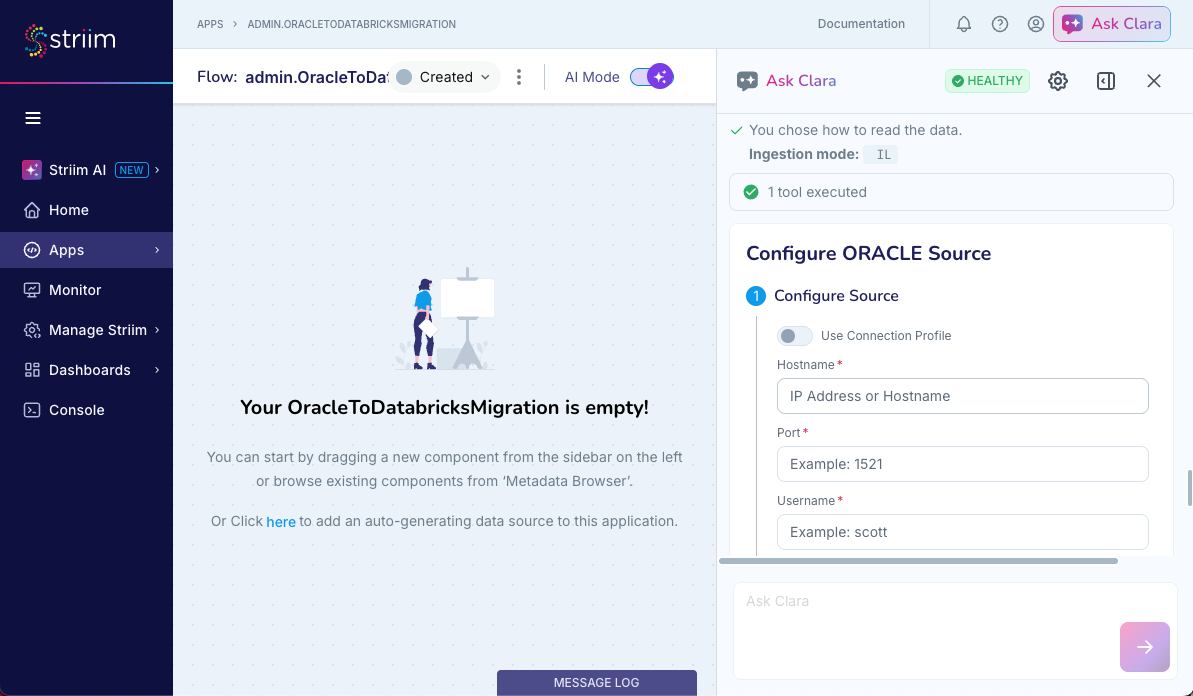
Choose the source strategy. Clara asks whether to use Initial Load, a one-time load of existing data, or CDC, which captures ongoing inserts, updates, and deletes.
Configure the source. Clara can open the native Configure ORACLE Source form. Enter the hostname, port, username, password, and SID. You can also provide the details in the conversation. Clara then lets you select schemas and tables.
Review the generated plan. Clara displays Review Generated TQL, for example
CREATE OR REPLACE SOURCE ... USING DatabaseReader (...). No application, component, configuration, or deployment is created or modified until you review and approve the plan. Verify the application name, adapter, connection details, selected tables, and generated TQL.Approve the plan. After approval, Clara executes the required tools and reports the result. For example, Clara can report 7 tools executed. Summary of Changes identifies the application shell, source component and adapter, connection details, selected tables, and the flow diagram.
Continue the build. Clara offers the next action, such as Help me add a target or Edit as TQL.
Continue building the application
Use the same plan, review, and approval flow to add components to the application.
Targets: Ask Clara to add a target, for example, "help me add a target", "write this to Snowflake", or "send this to Databricks". Clara gathers the connection and mapping details, then presents a plan for review.
Streams and transformations: Ask Clara to add streams, filters, or transformations between the source and target. Clara presents the generated TQL plan for review.
AI Agent components: Ask Clara to add an AI Agent component, such as Sentinel. Clara presents the plan before it executes the requested changes.
At each stage, use the generated plan and the Summary of Changes to review the work before proceeding.
Best practices
Follow these recommendations to get the best results from Clara:
Include exact namespaces, application names, component names, and table names.
State one clear goal at a time.
Ask a follow-up question when a response is incomplete or ambiguous.
Start with a documentation question when you are unsure how to perform a task.
Verify documentation answers before applying configuration changes.
Review generated TQL, selected objects, connection information, and mappings before approval.
Confirm application state and monitoring results after an operational action.
Limitations
Be aware of the following limitations when using Clara:
AI-generated answers, diagnoses, and TQL Plans may be incorrect or incomplete.
Response quality and latency depend on the configured AI backend and the available resources.
Complex workflows can require multiple prompts, manual editing, or both.
Conversational application building is an evolving capability, and support may vary across adapters, components, properties, and workflows.
Clara can report only the configuration, monitoring data, and error details that are available in the connected Striim environment.