Google Cloud Storage initial setup
Before you can use GCS Writer in a Striim application, you must perform initial set up steps. These include creating a custom Google Cloud Storage role with permissions on the bucket, assigning the role to a service account you create, and downloading the service account key needed to authenticate the GCS Writer.
Create a custom Google Cloud Storage role with the following permissions on the bucket and assign it to your service account:
storage.buckets.createstorage.buckets.getstorage.objects.createstorage.objects.delete
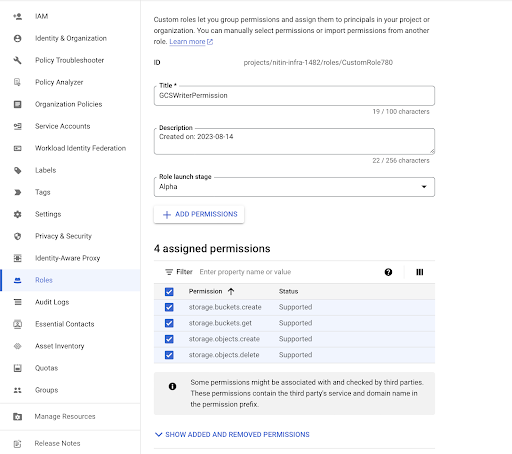
Create a service account and assign the above role to it (see Service accounts overview).
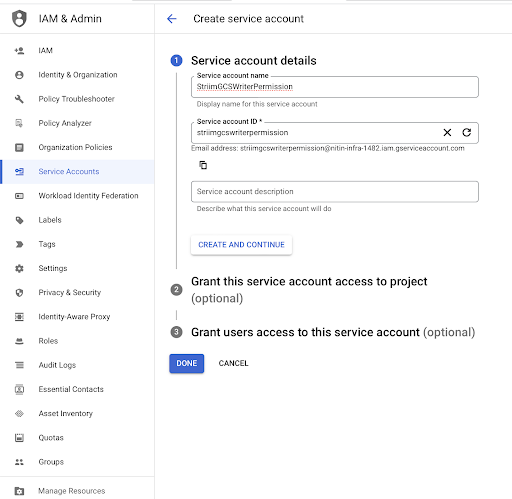
Create a service account.
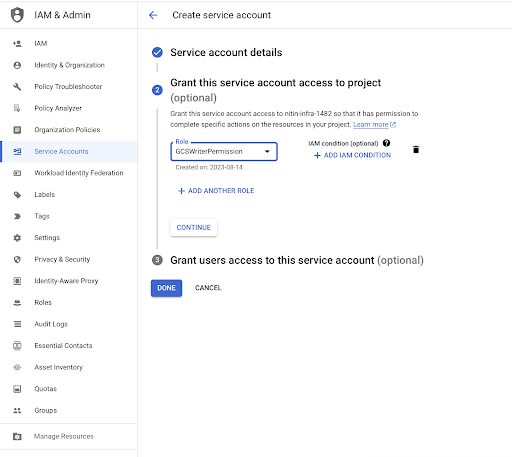
Assign the role to the service account.
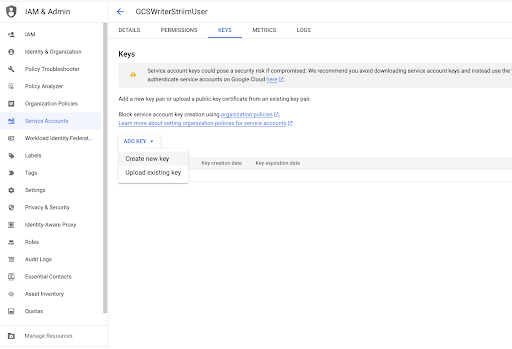
Download the service account key needed to authenticate the GCS Writer.
Configuring Striim to work with Google Cloud Storage
All clients and drivers required by GCS Writer are bundled with Striim. No additional setup is required.