Managing users
Understanding namespaces
Namespaces are logical domains within the Validata environment that contain validations, connection profiles, and vaults. Namespace-level roles and permissions control which users can do what in Validata Cloud.
By default, in a new Validata service, there are the following namespaces:
Global contains system-created objects including system-level roles. Users should not create objects in this namespace.
admin is empty and may be used by administrators for any purpose.
When you create a new user account, a personal namespace with the same name is created automatically. The user has admin privileges for that namespace and can create validations, connection profiles, or vaults in it.
Add a user
Note
If you are using single sign-on, user accounts will be created automatically when a user logs in.
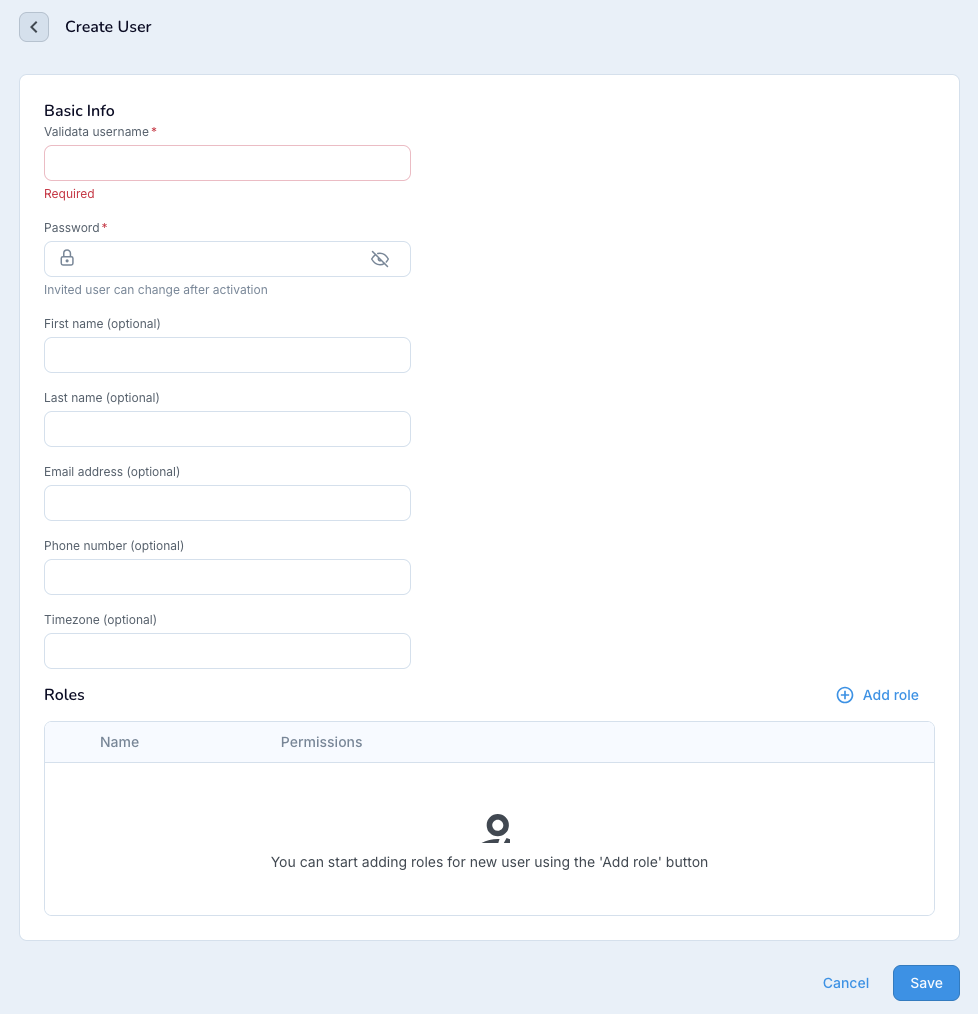
Select Users > Create user.
Enter the name and password for the user. Optionally enter additional information.
Optionally, click Add role to assign roles to the user. If you do not add any roles, the user will only be able to view and work with validations they created themselves.
Global.admin: The user can perform any operation on any object type in all namespaces.
Global.<Roles>: Any Global.<Role> other than Global.admin applies its permissions across all namespaces except the admin namespace.
userNamespace.admin: The user can perform any operation on any object type in the specified namespace.
userNamespace.enduser: The user can view all types of objects within the namespaces, but cannot create, update, or delete objects.
userNamespace.validationoperator: The user can perform any operations on validations in their namespace, and they can read connection profiles and vault configurations.
When the enterprise admin adds a user in Validata Cloud, they assign a SaaS role to that user. When a Validata service is created, the person who creates the service is automatically assigned a Validata Global.admin role for that service. That user can delegate other SaaS users to use that service.
By default, the following SaaS user types map to these user roles in Validata Cloud:
SaaS user type
Validata Cloud role
SaaS Admin
Validata Global.admin
SaaS Service Admin
Validata Global.admin
SaaS Developer
Federate the user with the default roles assigned to them.
SaaS Viewer
Do not allow the user to federate.
Click Save.
To modify the default user mapping, access the User page from the service, and select to Edit the user's roles.