Allowing non-admin users to manage custom alerts
By default, only administrators (users with the Global.admin role) can manage custom alerts. To grant alerting permission to a non-admin user:
Log in to the web UI as an administrator, go to Manage Striim > Users + Roles, and enable the Alerts toggle for the user.
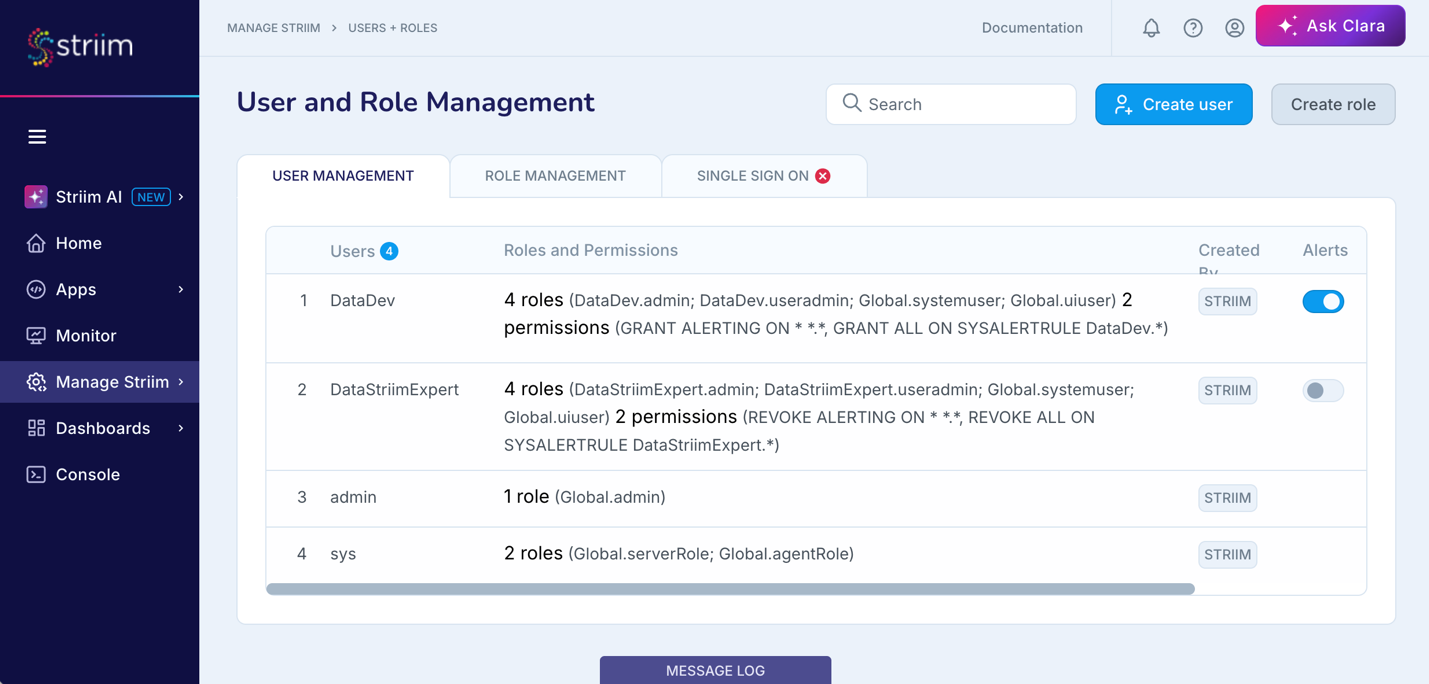
The user will have permission to create and manage custom alerts on apps and components in their own personal namespace and in any namespaces or specific applications where a Global.admin has given them read permission.
Note
If the Alerts toggle is later disabled for the user, any alerts they created will no longer be active.
The user will not have permission to create or manage Smart Alerts, or custom alerts on servers or Forwarding Agents ("nodes").
Note
In this release, this permission cannot be granted in the console.
To give all new users permission to manage custom alerts automatically, edit startUp.properties, add EnableUserAlerting=True, and restart Striim. This will have no effect on existing users.