Read with multiple labeled queries
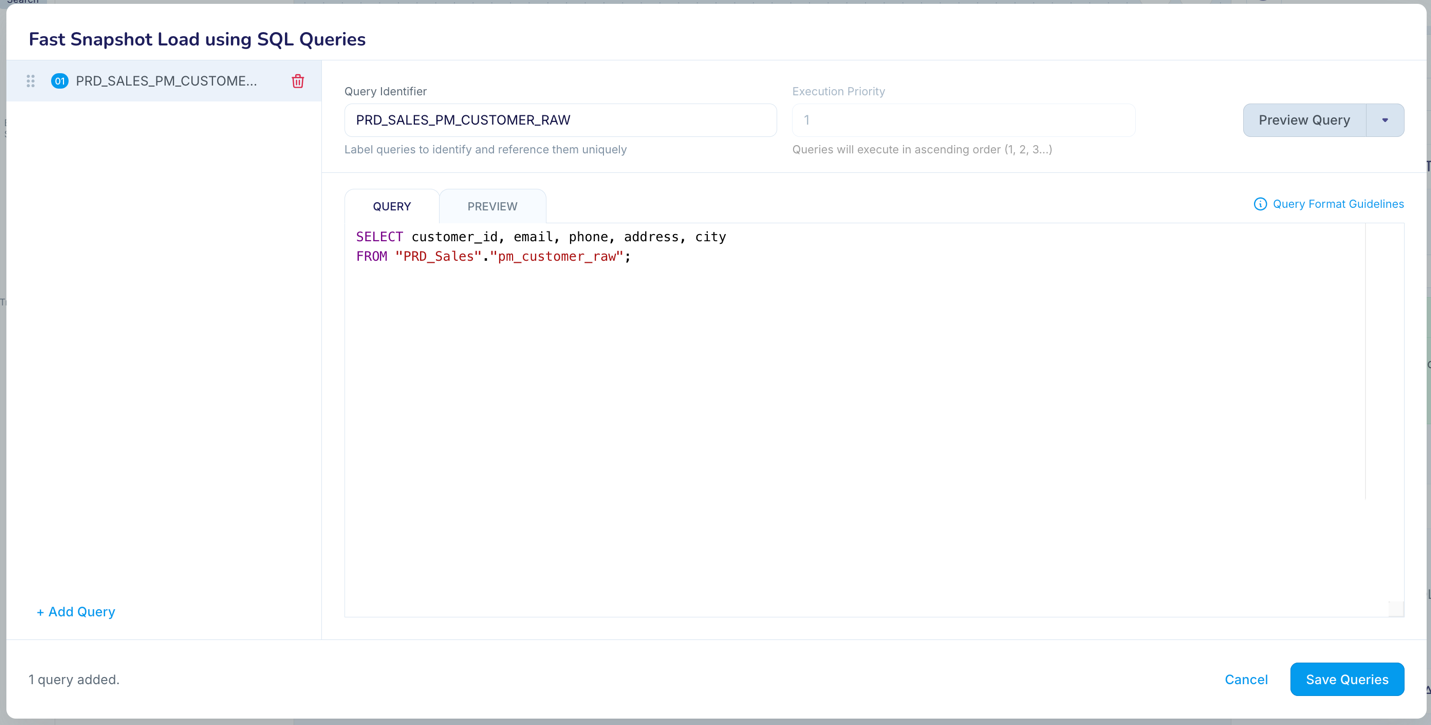
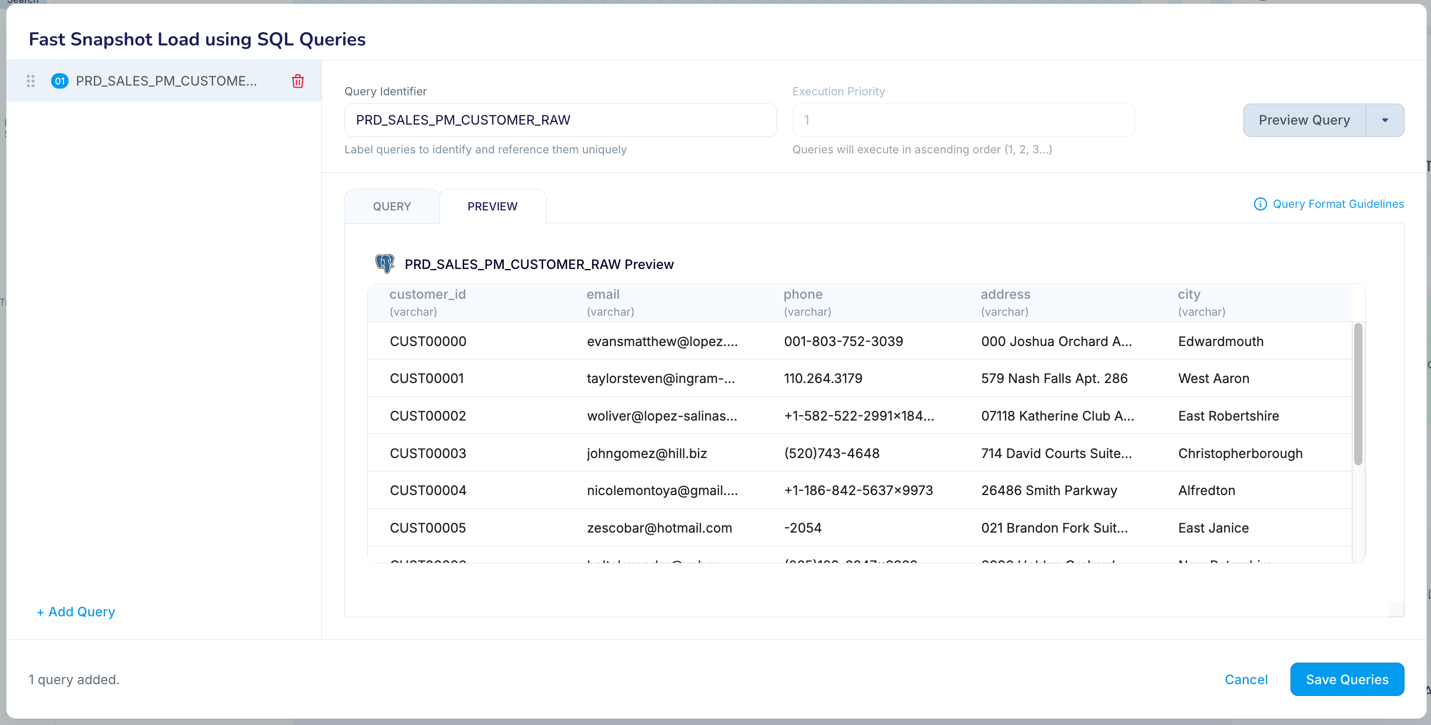
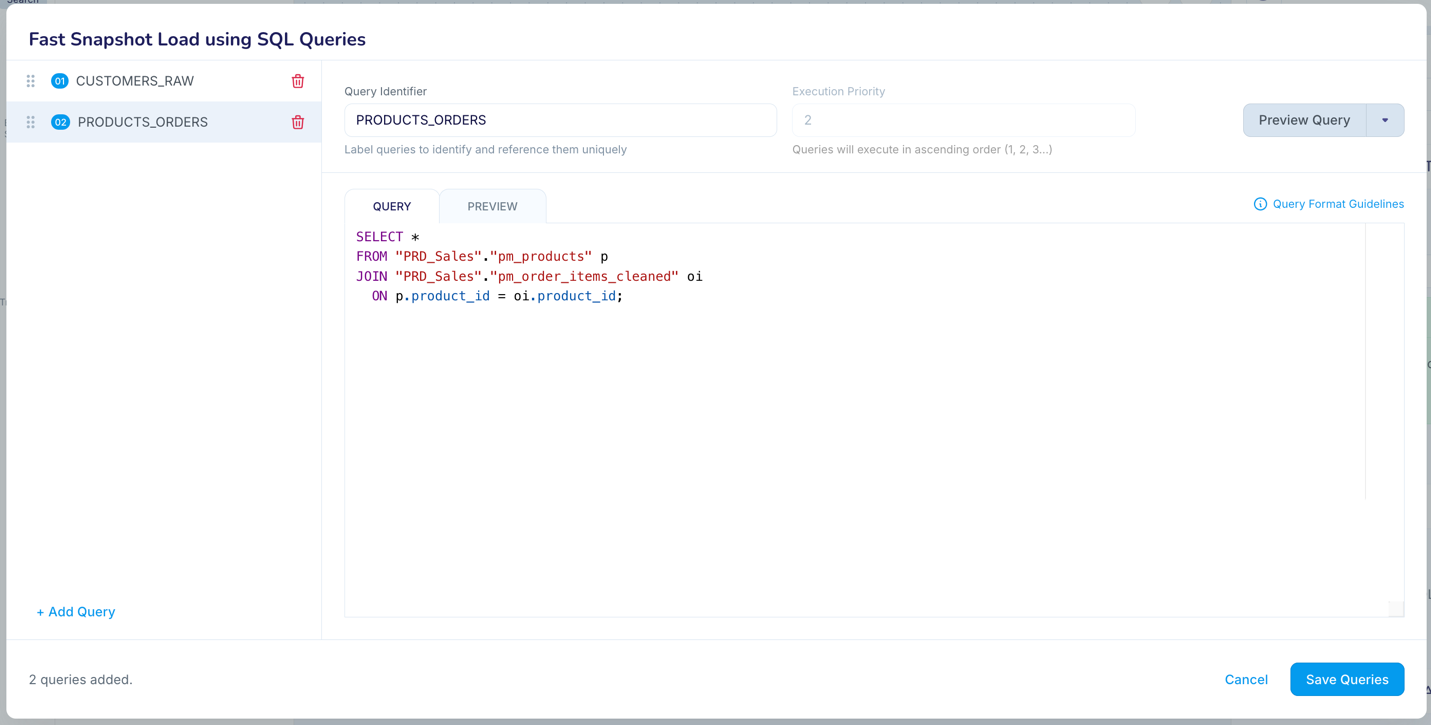
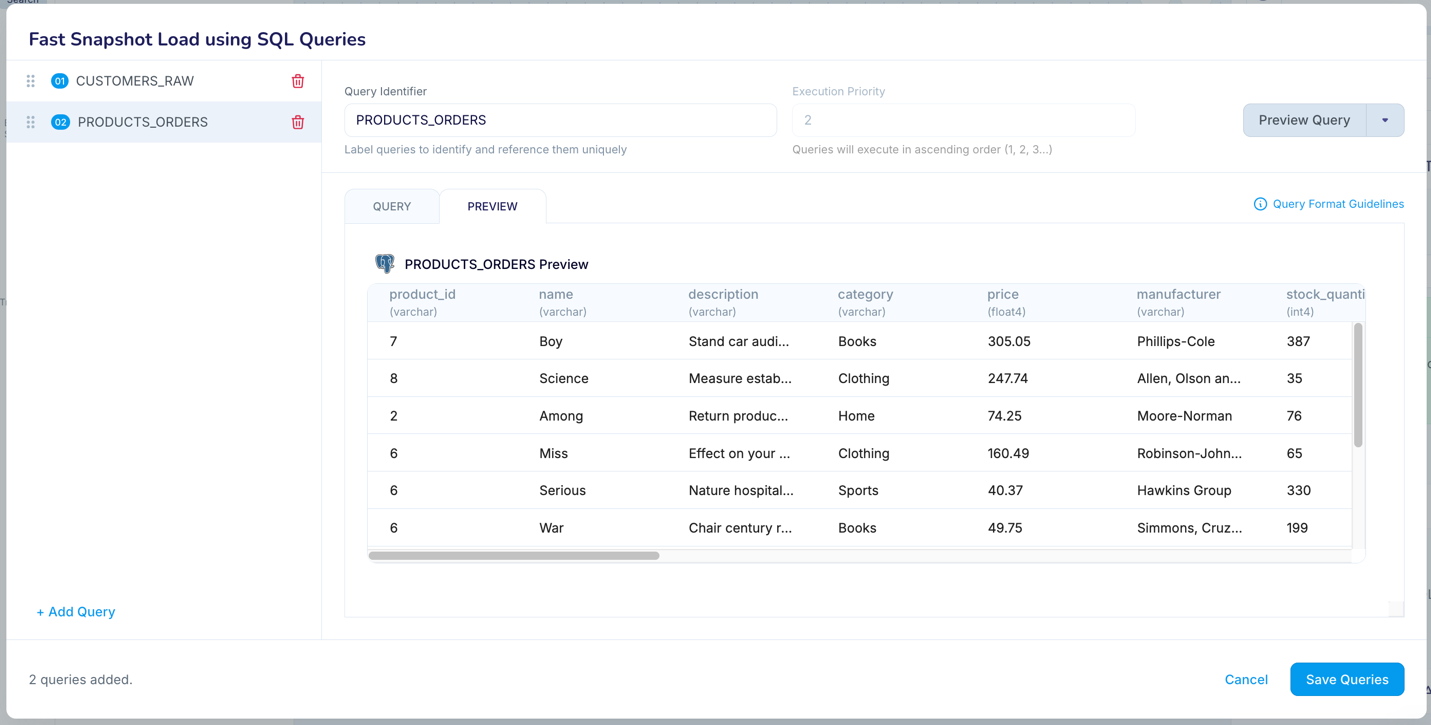
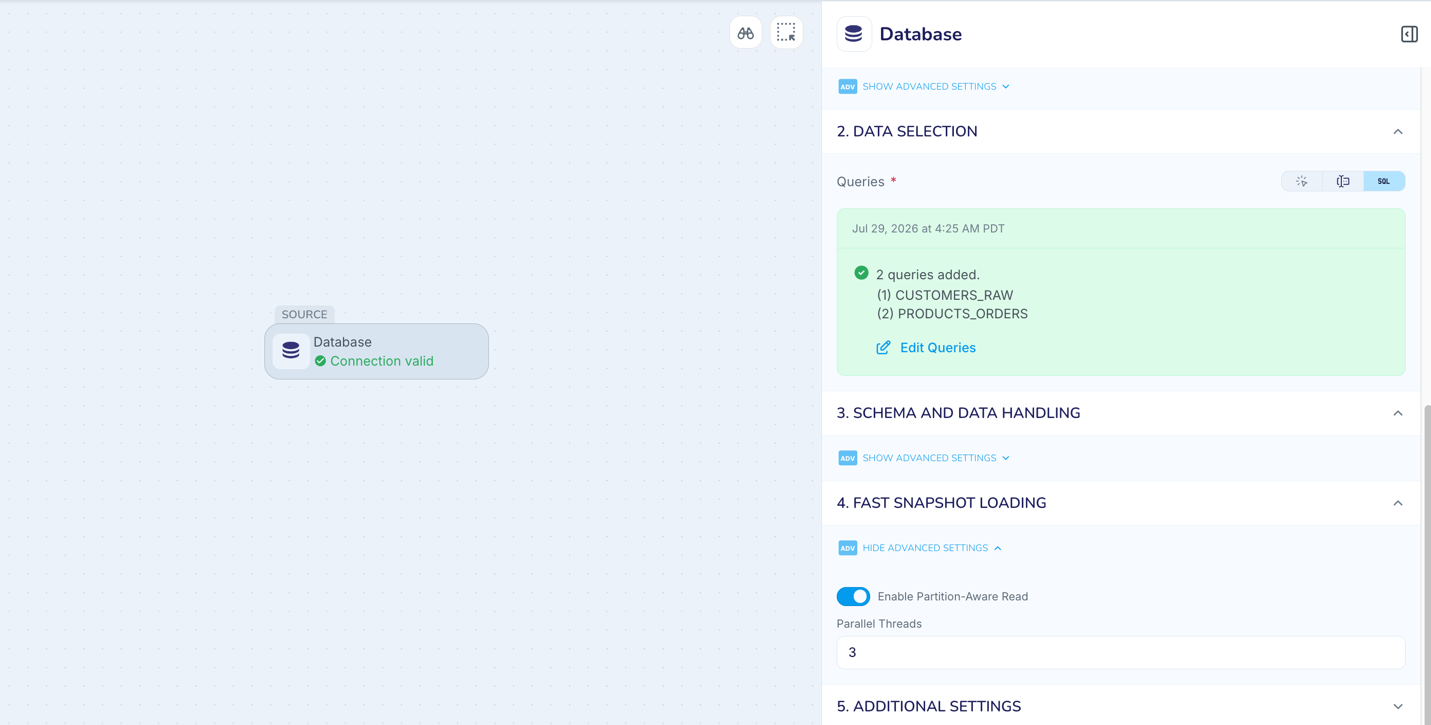
You can write up to 20 labeled SQL SELECT queries to read source data. Each query can read from one table or join multiple tables. You can preview each query to verify that Database Reader reads exactly the source data you need. You can also divide a large table into query-defined ranges and run those ranges concurrently.
Use cases
Divide a large source table into smaller ranges so that multiple threads can read the ranges concurrently.
Run multiple join queries from one Database Reader source.
Send query result sets to different downstream tables, files, Kafka topics etc.
Prerequisites
The database user must have permission to execute every query and read every referenced table or view.
Configure queries in the Flow Designer
In the Database Reader properties, under Data Selection, click on Add Queries.
Enter a Query Identifier that uniquely identifies the result set.
Enter a SQL SELECT statement.
Select Preview Query to verify that the query returns the expected columns and data.
Optionally, enter an Execution Priority.
Click Add Query to enter a new query, and repeat the above steps for each query, up to a maximum of 20 queries.
Select Save Queries.
To run queries concurrently, set Parallel Threads to 2 or more.
Query fields
Field | Required | Accepted value | Behavior |
Query Identifier | Yes | Letters, numbers, and underscores | Uniquely identifies the query. Striim treats the value as case-insensitive and converts it to uppercase. |
Query | Yes | One SQL SELECT statement | Striim submits the statement to the source database table. Use database-specific quoting and delimiters. |
Execution Priority | No | Unique integer from 1 through 20 | Lower numbers enter execution first. If omitted, queries retain their configuration order. |
How query priority works
Priority determines when a query becomes eligible for execution. Lower numbers have higher priority. For example, priority 1 is submitted before priority 3.
With one thread, Database Reader starts queries in priority order.
With multiple threads, Database Reader assigns the highest-priority pending queries to available threads first.
Priority does not reserve a thread, control event throughput, or guarantee that a query finishes before lower-priority queries.
When no priorities are specified, Database Reader uses the order in the Multi Query configuration.
TQL example: Read one table in parallel ranges
The following example divides an employee table into two nonoverlapping ranges. Each Query Identifier becomes the TableName value in the emitted WAEvent metadata.
CREATE SOURCE EmployeeSnapshot USING Global.DatabaseReader (
  ConnectionURL: 'jdbc:postgresql://<host>:5432/<database>',
  Username: '<username>',
  Password: '<password>',
  MultiQuery: [
    {
      "QueryIdentifier": "EMPLOYEE_LOW",
      "Query": "SELECT * FROM public.employee WHERE employee_id <= 500000",
      "Priority": 1
    },
    {
      "QueryIdentifier": "EMPLOYEE_HIGH",
      "Query": "SELECT * FROM public.employee WHERE employee_id > 500000",
      "Priority": 2
    }
  ],
  ParallelThreads: 2,
  QuiesceOnILCompletion: true
)
OUTPUT TO EmployeeSnapshotStream;
Map query results to targets
For events produced by Multi Query, the event’s TableName metadata field contains the Query Identifier instead of a physical source-table name. Use the Query Identifier in downstream routing and target-table mappings.
CREATE TARGET EmployeeTarget USING Global.DatabaseWriter (
  ConnectionURL: 'jdbc:postgresql://<target-host>:5432/<database>',
  Username: '<username>',
  Password: '<password>',
  Tables: 'EMPLOYEE_LOW,public.employee_target;
           EMPLOYEE_HIGH,public.employee_target'
)
INPUT FROM EmployeeSnapshotStream;
WAEvent contents for the output of multiple labelled queries
For this query:
MultiQuery : [
  {
    "QueryIdentifier" : "EMP_DEPT_DATA",
    "Query" : "
      SELECT
        e.EMP_ID,
        e.EMP_NAME,
        e.SALARY,
        e.JOB_TITLE,
        d.DEPT_ID,
        d.DEPT_NAME,
        d.LOCATION
      FROM EMP e
      JOIN DEPARTMENT d
      ON e.DEPT_ID = d.DEPT_ID;
  }
]
A WAEvent output from the reader would look as follows:
WAEvent{
  data: [1,"Deborah","480K","Field Engg","D1S ","9273 Thorne AV","Orchard Park"]
  metadata: {"TableName":"EMP_DEPT_DATA","ColumnCount":7,"OperationName":"SELECT",
    "OPERATION_TS":1681412863364}
  userdata: null
  before: null
  dataPresenceBitMap: "fwM="
  beforePresenceBitMap: "AAA="
  typeUUID: {"uuidstring":"01edda2e-77f7-9b21-83c2-8e859085da65"}
};
The QueryIdentifier populates the TableName field in WAEvent. To map the output of this query to the emp table in the target, you would specify EMP_DEPT_DATA,emp in the writer's Tables property
Recovery and completion
When application recovery is enabled, Striim tracks initial-load completion by Query Identifier. Keep Query Identifiers permanently associated with their queries so that recovery positions remain consistent. Do not add, rename, or modify query entries while recovery is enabled.
For Restart Behavior on IL Interruption
Keep target table data and Truncate target table are supported for Restart Behavior on IL Interruption.
Replace target table data is not supported because automatic schema creation is unavailable for query result sets.
When Quiesce on IL Completion is enabled, the application quiesces after every configured query has completed and downstream targets have processed the results.
Observability: Mon metrics
Database Reader adds the following initial-load mon metrics:
Query Info: Reports the query text, status, and rows read so far for each Query Identifier
MultiQuery Summary: Reports the total, completed, in-progress, and pending query counts.
Note: Database Reader does not calculate the total number of rows a custom query will return. Monitoring shows rows read and query status, but not a completion percentage based on a total-row count. |
Operational considerations
Automatic target schema creation is not supported with MultiQuery because a query result does not provide source constraints, keys and schema definition.
MultiQuery cannot be combined with the Database Reader Tables, Query, or Exclude Tables property.
Upgrade behavior for existing query-based applications
This upgrade behavior applies only to applications where Database Reader uses a SQL query to read from MySQL, Oracle, PostgreSQL, or SQL Server.
In Striim versions earlier than 5.4.2, Database Reader supported only one custom query through the Query property. After you upgrade to Striim 5.4.2:
An existing Query configuration appears in Flow Designer, and it continues to use the legacy Query behavior.
If you add another query in the Flow Designer, Striim automatically converts the existing query configuration to multiple labeled queries (using MultiQuery).
For TQL applications, you must manually convert Query to MultiQuery when you want to use the multiple labeled query feature.